Halloween · Print-true

Cat pumpkin stencil

Print both cats and pick at the table, or print just the one you want. There are two original cat carving patterns, a bold sitting-cat silhouette and a front-on cat face, printed at true size from your browser. Every sheet carries its own carve guidance, and nothing you do here leaves your device.

Adjust

Details
Sheet— Variant— Cut area— Pages—
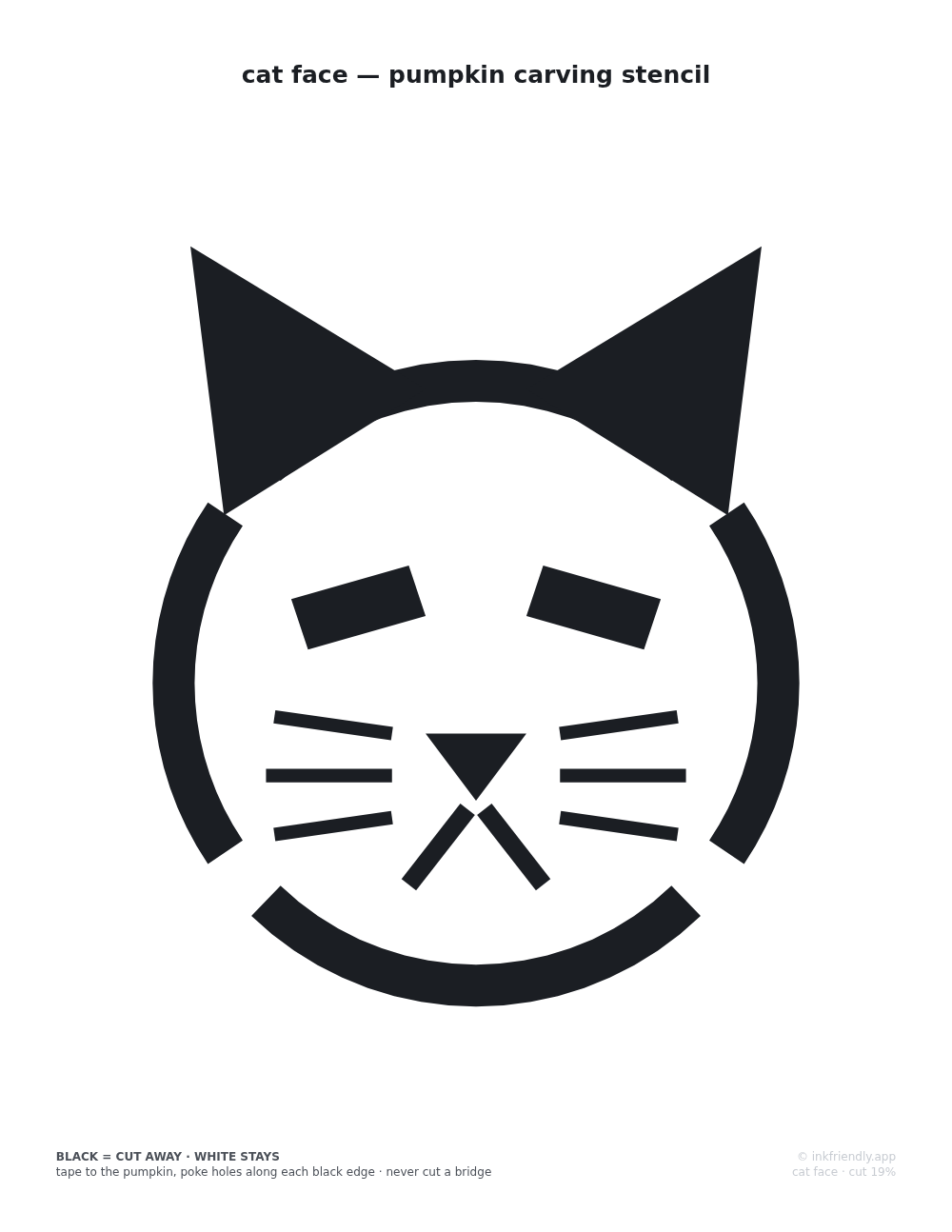
A printable pumpkin carving stencil of a front-on cat face with ears, whiskers and a bridged outline
A sample sheet from this generator: the front-on cat face pattern.

How this cat stencil page works

Both cats are original geometric constructions: silhouettes and features built in code from circles, polygons and arcs, with nothing traced from anyone's artwork. That is a legal necessity, and it helps the carving too. Constructed shapes have long, clean edges that saw well, while traced patterns carry hairline detail that is lost the moment a knife touches it. The sitting cat here is the same geometry the main stencil library uses, from one definition shared by both pages, so the two pages print the identical cat. The cat face is only on this page.

The two cats are two difficulty levels. The sitting cat is a single solid silhouette with only outside edges and nothing to break, which makes it the beginner's cut. The cat face works the other way round: the outline ring, ears, eyes, nose and whiskers are the cuts, and the pumpkin inside the ring stays. Four bridge gaps break its outline and hold the face's center to the shell. The page's tests flood-fill the actual geometry of both cats and check that no region of pumpkin is ever fully surrounded by cuts. The "cut area" figure on each sheet comes from the same geometry and shows how much of the design is cut away.

These are single-layer stencils: each area is cut through or left alone, with no shaved half-depth layer. The cat face's whiskers are the thinnest cuts on either sheet and get narrow on a small pumpkin, so if you are carving with kids, the sitting-cat silhouette is the safer pick. Set the print dialog to 100% or "Actual size". "Fit to page" shrinks everything a few percent, and what that mostly costs a stencil is bridge width, the one dimension you want untouched.

Frequently asked questions

Which cat pattern is easiest to carve?
The sitting cat. It is one bold silhouette with no interior islands, so every cut is an outside edge and there are no bridges to protect. The cat face is the advanced one, because the face is drawn in outline and every gap in that outline is a bridge holding the center on. Carve up to each gap and stop, and the center of the face stays attached.
Why does the cat face outline have gaps in it?
Those gaps are bridges. The cat face is an outline stencil: the ring of the face is cut away, and the pumpkin inside it, where the eyes, nose and whiskers sit, has to stay attached to the rest of the shell. The four gaps in the ring hold it on. Carve each arc of the outline up to its gap and stop. If you cut across a gap, the whole center of the face falls into the pumpkin.
Can I make the cat bigger or smaller?
Yes, with the margin; there is no scale setting to touch. The pattern fills your paper inside the margin, so a smaller margin prints a bigger cat and a larger margin prints a smaller one; the margin goes from 5 to 25 mm. Portrait prints the biggest cat, and landscape prints it smaller. A4 and US Letter both work. Whatever you pick, the pattern scales as one piece, so the proportions stay right and the readout tells you the sheet in use.
How do I get the pattern onto the pumpkin?
Print at 100% scale and tape the sheet to the pumpkin, with a few short cuts in the paper's edges so it wraps the curve. Then poke holes through the paper along every black edge, closer together on the tight curves of ears and tail. Peel the paper off and carve dot-to-dot. A short version of these steps is printed at the foot of each sheet.
Is anything uploaded or stored?
No. Both cats are drawn as vector geometry by this page, in your browser, and printed through your browser's own dialog. Nothing is sent anywhere, there is no account or watermark, and no settings are saved. Close the tab and it is gone.

Related tools